Appearance
数据编辑组件
组件在编辑器中使用时,需要提供一个用于编辑组件数据的组件,命名规则为 【组件名】 + Data。例如,组件名为 SVGWenBen,则其数据编辑组件名为 SVGWenBenData。该组件仅在编辑状态下使用,运行状态不需要。如果组件不需要修改任何数据,可以提供一个空的数据编辑组件,或者不提供数据编辑组件也可。该组件渲染在编辑器右侧的“数据”页签下,如图所示。
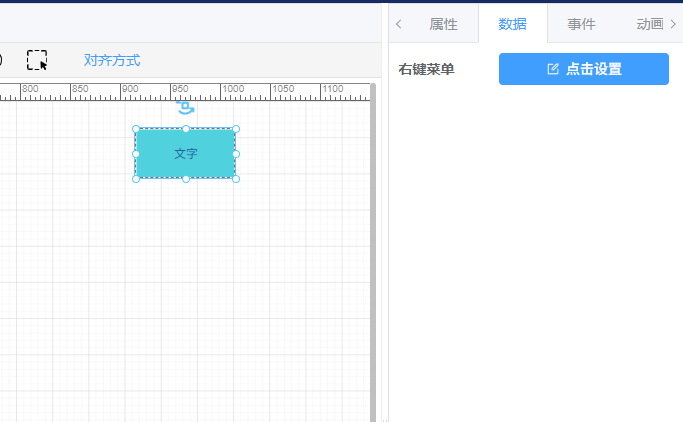
数据编辑组件与属性编辑组件大同小异,此处不再赘述。
空数据编辑组件示例
vue
<template>
  <div class="data-list">
    <el-form :size="props.formSize" label-width="100px" label-position="left" style="padding:10px">

    </el-form>
  </div>
</template>

<script setup>
import {useEditorStore} from "hflveditor3";
import {computed} from "vue";
const props = defineProps(['pageId', 'formSize'])
const editorStore = useEditorStore(props.pageId);

const curComponent = computed(() => {
  return editorStore.curComponent
})

const propValue = computed(() => {
  return curComponent.value.propValue || {};
})


</script>

<style lang="scss" scoped>
.data-list {
  .el-form {
    padding: 10px;
  }

  .el-form-item {
    margin-bottom: 4px;
    margin-right: 4px;
  }

  .common-item {
    width: 180px;
  }

  .el-row {
    margin-bottom: 10px;
  }
}
</style>